Posts

Showing posts with the label adjacency

Tip#65: Search String Theory - Applying pairwise combinatorics to PubMed searches

Image
Many thanks to Marijane White for this week's post!  Introducing the Pairwise PubMed Search Generator! The Pairwise PubMed Search Generator is a tool designed to streamline the creation of complex PubMed search strings. By using two lists of input terms, you can quickly generate search queries that can either be copied to your clipboard or launched directly in PubMed with a single click. This tool can save you thousands of keystrokes and help prevent errors in intricate search constructions.   Continue reading to learn more about PubMed’s pairwise search functionality, a brief overview of pairwise combinatorics, and of course, the tool itself. PubMed’s proximity search functionality The National Library of Medicine announced the addition of long-awaited proximity search capability to PubMed in the fall of 2022 . Initially only available in the Title and Title/Abstract fields, it was later made available for the Affiliation field as well, where it also limits the search to i...

Tip #59: Getting Up Close and Personal with Database Proximity Syntax

Image
Written by Hilary Kraus and Zahra Premji Why is proximity searching valuable? In systematic searching, there is an inherent tension between sensitivity and precision. According to the Cochrane Handbook, "Searches for systematic reviews aim to be as extensive as possible in order to ensure that as many of the relevant studies as possible are included in the review. It is, however, necessary to strike a balance between striving for comprehensiveness and maintaining relevance when developing a search strategy." ( Chapter 4, Section 4.4.3: Sensitivity versus precision ) One strategy for achieving this balance is the use of proximity operators. As explained in the Cochrane Handbook's Technical Supplement to Chapter 4, "Use of proximity operators helps to ensure that searches are more sensitive than would be the case with direct adjacency or phrase searching, and can also facilitate ease of searching where there are multiple possible variations of a phrase which would othe...

Tip #20: Stop Words within Phrases in Ovid

Image
 This week's tip is brought to us by Ursula Ellis from the University of British Columbia. She credits her colleague Mathew Vis-Dunbar for coming up with this solution! Thanks to you both! "If you search for an exact phrase which contains a stopword in Ovid, the stopword will be ignored and other words will be searched in the order entered, within 2 words of each other. For instance, line 1 of this search finds "treatment and prevention," "treatment or prevention," etc, but not "prevention and treatment" which is found by line 2: This is not ideal for many phrases in which the stopword is a critical piece of the search phrase. There are two options to solve this issue in Ovid. One is to get in touch with your rep and ask them to turn off "runtime stopword processing," as described here: https://wkhealth.force.com/ ovidsupport/s/article/ Stopwords-and-phrase- searching-in-Ovid-databases However, for large institutions, it i...

Tip #16: Adjacency in Ovid MEDLINE

Image
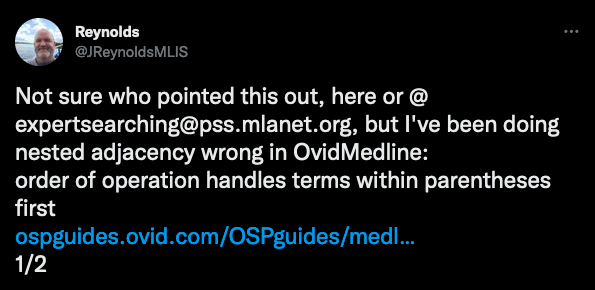
This week's helpful tip was inspired by a tweet from @JReynoldsMLIS (who credited Carol Lefebvre as the original source for the tip). Thanks to you both!   How does adjacency work in Ovid MEDLINE? According to the help documentation : The Adjacent operator (ADJ) retrieves records with search terms next to each other in that specific order ( I did not know this!* ). You do not need to separate search terms manually by inserting ADJ between them, because when you separate terms with a space on the command line, Ovid automatically searches for the terms adjacent to one another. blood pressure  =  blood adj pressure pressure blood =/= blood pressure 😱   *Order matters in adj, not adj#     **Seriously, I didn't realize Ovid did this!! You can also define a specific range of adjacency by adding a number (1-99) to the adj operator.  ADJ1     Next to each other, in any order* ADJ2     Next to each other, in any order,...

Tip #4: Ovid MEDLINE Adjacency and Field Tags

Image
This tip was submitted by Kathryn Vanderboll (University of Michigan):  In Ovid MEDLINE, using adjacency with .kw. does not work the way you (probably) want - use .kf. instead! While searching (surg* adj (educat* or instruct* or learn* or teach* or train*)).kw., our team couldn't figure out why our sentinel article tagged with with the author supplied keyword "surgical teaching" wasn't showing up. Through trial and error, we learned that .kw. adjacency only works between lines . That is, how close keywords are to each other on different lines. For example, (surg* adj teach*).kw. picks up articles with keyword headings like:  But does NOT pick up articles that might have keyword headings like:   To use adjacency searching within a single keyword heading, you'll need to use .kf. The Ovid help documentation notes : "The Keyword Heading (KW) field contains the Keyword Headings assigned by authors. Keyword Headings are the author keywords. To retrieve every Key...